
ULTRA8K LATINO · ANDROID
Your entertainment,
organized your way.
Live TV, movies, series and sports in an experience designed for Android TV, TV boxes, Android tablets and phones.
v1.0.0AndroidAndroid TVTV Box
 ABRE TU MUNDO
ULTRA8K LATINO
An experience you can see.
Real screens from the ULTRA8K Latino app.
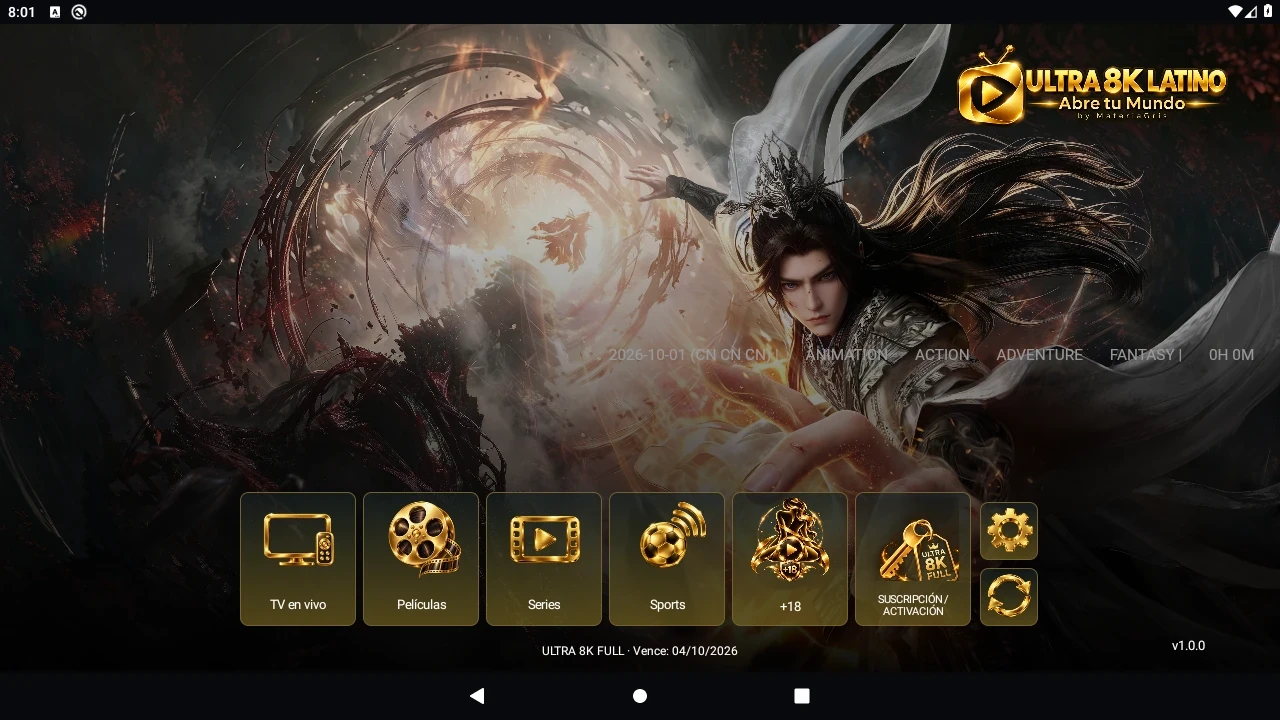
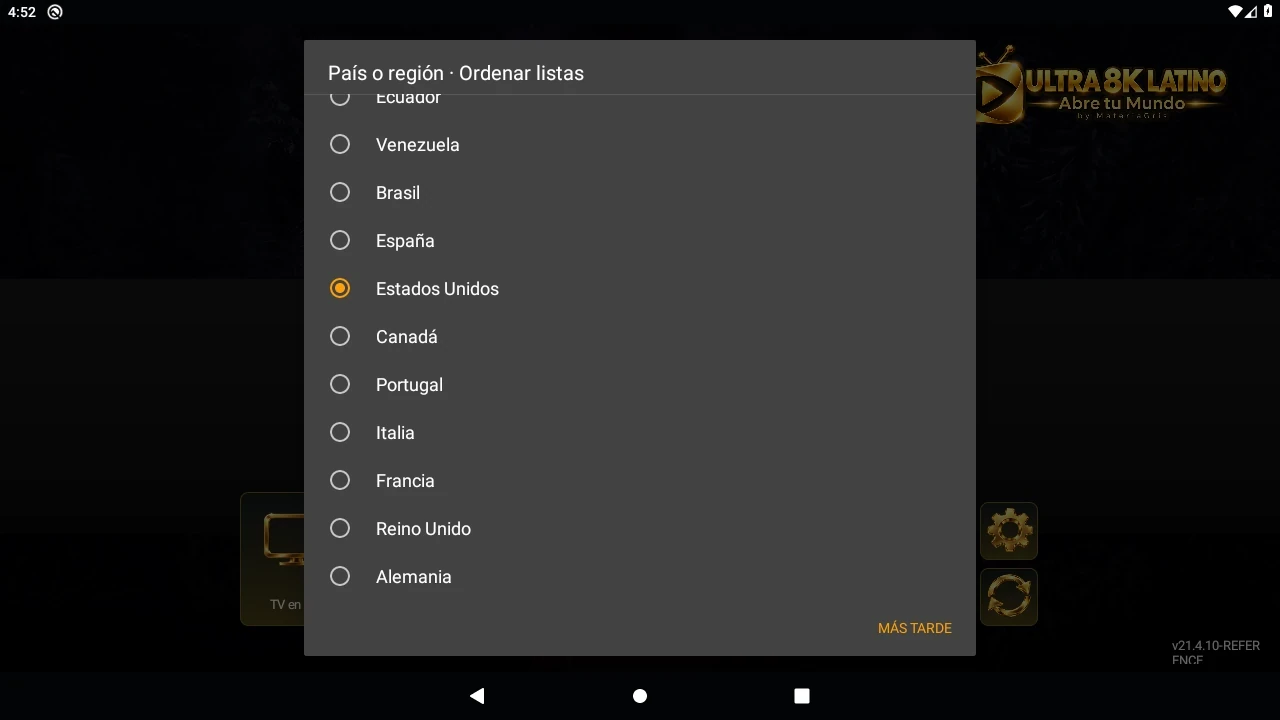
01 / Features
Everything in its place.
Browse categories. Choose what to watch. Return to your favorites.

Movies

Series

Sports
FavoritesResume playbackSearchCategoriesBuilt-in player18+ access control
02 / YOUR PREFERENCES
Designed for your region.
Choose your country or region to prioritize content. You can change your selection in Settings.
COUNTRY · REGION · LANGUAGE
03 / ANDROID
From your big screen to your Android.
An interface designed for both remote controls and touchscreens.
- Android TV
- Android TV boxes
- Android phones
- Android tablets
04 / Official APK
Your next screen starts here.
ULTRA8K Latino 1.0.0
Version 1 · playback repair
DOWNLOAD APK- File size
- 9.93 MB · 9,930,389 bytes
- Updated
- October 3, 2026
- Compatibility
- Android 5.0+ · Android TV · TV Box
Scan to download the same APK.
ULTRA8K-Latino-v1.0.0.apkFile integrity · SHA-256
5c936dffbc90889e0d71b77a4c6bb115ac10eb867edc05e07847dfc3c9f684efReady in five steps.
- 01
Download the APK using the official button.
- 02
If Android asks, allow installation from the app used to open the file.
- 03
Open the downloaded file.
- 04
Install or update ULTRA8K Latino.
- 05
Open the app and choose your preferences.
A compatible update preserves your data. If you use 21.4.10 REFERENCE, review the signing migration step before installing. Keep your existing app and data until the migration is complete.
From 21.4.10 REFERENCE: on Android 9 or later, install the migration APK first, then v1. No uninstall is required. Android 5–8 needs a separate data migration. Migration APK
FAQ
What you need to know.
Which devices are compatible?
Android TV, Android TV boxes, phones and tablets running Android 5.0 or later. Playback depends on the device and available formats.
How do I update the app?
Download the official APK, open it and accept the update offered by Android.
Do I need to uninstall the previous version?
No, if Android recognizes a compatible update. If an installation conflict appears, check it before uninstalling: uninstalling may delete your data.
How do I install the APK?
Download the file and open it from Downloads or your file manager. Follow the Android installer steps.
What if Android asks for permission?
Allow installation from the source you are using, such as your browser or file manager. Permission applies to that source.
How do I select my country or region?
Use the first-launch selector or open Settings to select your country or region.
How do I access my favorites?
Mark content with the star, then open Favorites in the corresponding section.
Where can I find the installed version?
Check Android app information: Settings → Apps → ULTRA8K Latino.